










/b02040-PLC_HML_%EB%8D%B0%EC%9D%B4%ED%84%B0%EC%88%98%EC%A7%91/RCPORT-PLC%20XGB%20%EC%A0%84%EC%9A%A9%EC%BC%80%EC%9D%B4%EB%B8%94.jpg)






.jpg)


.jpg)








.jpg)




.jpg)

















L4X2.png)




* 본 이미지는 참고용입니다.제품의 정확한 사양은 데이터시트를 참고 바랍니다.
- 공유하기
-


개발보드/프로그래머
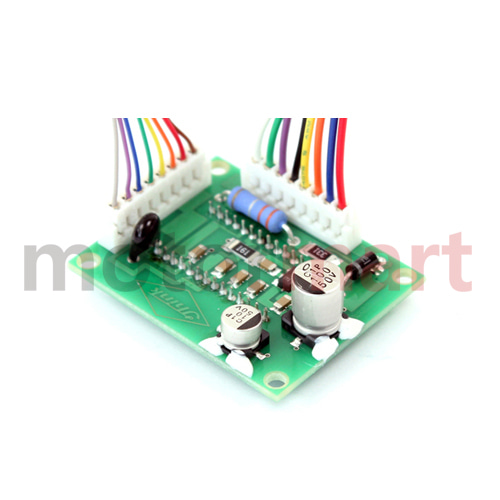
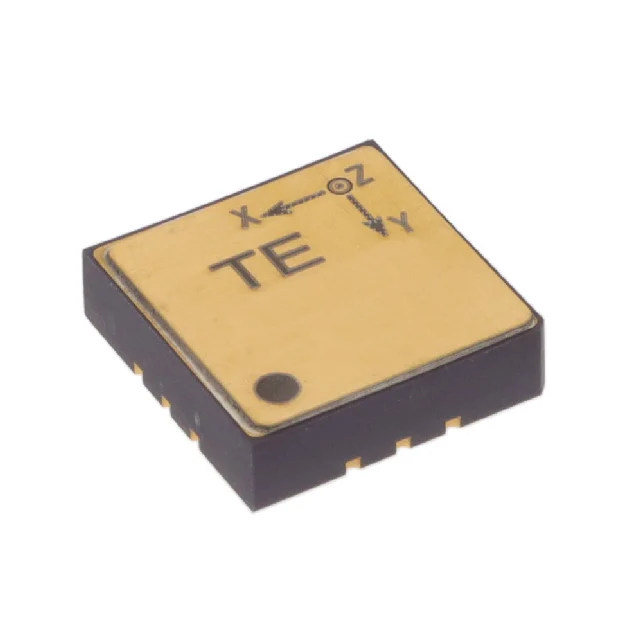
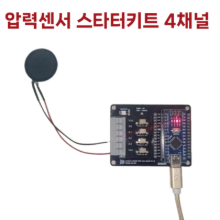
압력센서 스타터키트 4채널
간편하게 5분만에 압력센서 측정 / 아두이노 소스 제공
45,400원
(VAT 별도)-
제품번호
EN00000657
-
브랜드명
마블덱스
-
제조사
마블덱스
-
M.O.Q
1
-
평균발송일
약 3일
- 포장단위
-
판매단위
1
-
배송비
3,000 (60,000원 이상 무료배송)
간편하게 5분만에 압력센서 측정 / 아두이노 소스 제공
수량
총 주문 금액
45,400원
(VAT 포함) 49,940원
상품상세정보


아두이노 나노용 소스코드
[최초 실행시 라이브러리 설치 필요]아두이노 실행 > 라이브러리 탭에서 "Adafruit NeoPixel"을 검색. > Adafruit NeoPixel by Adafruit 를 선택 > 설치
소스코드
1 2 3 4 5 6 7 8 9 10 11 12 13 14 15 16 17 18 19 20 21 22 23 24 25 26 27 28 29 30 31 32 33 34 35 36 37 38 39 40 41 42 43 44 45 46 47 48 49 50 51 52 53 54 55 56 57 58 59 60 61 62 63 64 65 66 67 68 69 70 71 72 73 74 75 76 77 78 79 80 81 82 83 84 85 86 87 88 89 90 91 92 93 94 95 96 97 98 99 100 101 102 103 104 105 | #include <Adafruit_NeoPixel.h> //---------------------------------------------------------- // HARDWARE CONFIGURATION //---------------------------------------------------------- // Adafruit_NeoPixel #define LED_PIN 3 // LED pin num wired to Arduino NANO #define NUM_LEDS 1 // Number of LEDs Adafruit_NeoPixel strip = Adafruit_NeoPixel(NUM_LEDS, LED_PIN, NEO_GRB + NEO_KHZ800); // ADC Hardware configure #define NUM_ADC_READ 4 int adcPins[] = { A0, A1, A2, A3 }; //---------------------------------------------------------- // DECLARATIONS of VARIABLES, FUNCTIONS //---------------------------------------------------------- int adc_values[NUM_ADC_READ]; // ADC buffer int mapped_values[NUM_ADC_READ]; // Mapped buffer int MAP_VAL_MAX = 255; // LED max value char strBuf[64]; // for Logging void setup() { Serial.begin(115200); Serial.print("ADC 10-bit (default)"); strip.begin(); // Initialize NeoPixel lib. strip.show(); strip.setBrightness(50); // set brightness level (0-255). Serial.println("NeoPixel Single LED Test"); } void loop() { int force_sum = 0; // READ ADC 4ch for (int i = 0; i < NUM_ADC_READ; i++) { // read analog values adc_values[i] = analogRead(adcPins[i]); if(adc_values[i] < 3) // remove noise adc_values[i] = 0; // map and sum mapped_values[i] = map(adc_values[i], 0, 1024, 0, MAP_VAL_MAX); // 0~1024 to 0~MAP_VAL_MAX(255) force_sum += mapped_values[i]; } // PRINT ADC VALUES sprintf(strBuf, "%3d,%3d,%3d,%3d", mapped_values[0], mapped_values[1], mapped_values[2], mapped_values[3]); Serial.println(strBuf); // SHOW RGB LED int r, g, b; convForce2RGB(force_sum, r, g, b); strip.setPixelColor(0, strip.Color(r, g, b)); // 0: LED index strip.show(); // shows led color delay(100); // removable } // CONVERSION FROM ADC VALUE TO RGB VALUES // ADC(0~240) ==> R, G, B void convForce2RGB(int force_val, int &r_val, int &g_val, int &b_val) { if (240 < force_val) force_val = 240; /* color rgb range : 0~240 blue : 0, 0, 240 green : 0, 240, 0 yellow : 240, 240, 0 orange : 240, 160, 0 red : 240, 0, 0 */ if (force_val < 1) { // Zero r_val = 0; g_val = 0; b_val = 0; } else if ((1 <= force_val) && (force_val < 80)) { // Blue to Green r_val = 0; g_val = map(force_val, 0, 80, 0, 240); // 0 --> 240 b_val = map(force_val, 0, 80, 240, 0); // 240 --> 0 } else if ((80 <= force_val < 160) && (force_val < 160)) { // Green to Yellow r_val = map(force_val, 80, 160, 0, 240); // 0 --> 240 g_val = 240; b_val = 0; < |
등록된 사용후기
사용후기가 없습니다.
등록된 상품문의
상품문의가 없습니다.