







.png)
.jpg)


.jpg)

.jpg)






.jpg)
.jpg)

.jpg)
.jpg)







(3604).jpg)

(1554).jpg)
.jpg)

.jpg)

.jpg)



(3286).jpg)



.png)
(3).jpg)






.jpg)
.jpg)





_6.jpg)





* 본 이미지는 참고용입니다.제품의 정확한 사양은 데이터시트를 참고 바랍니다.
- 공유하기
-


센서
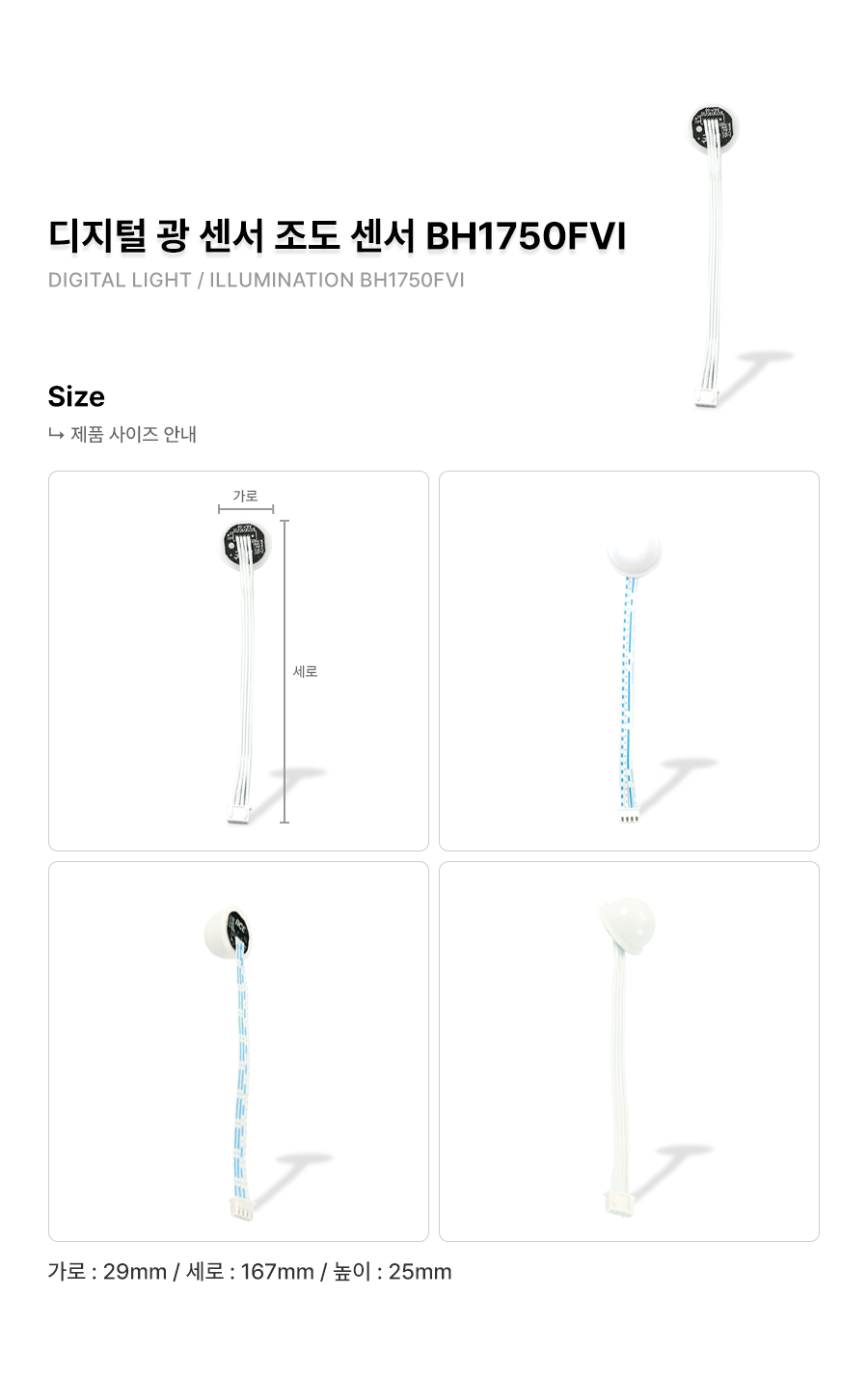
아두이노 디지털 광센서 조도센서 모듈 / BH1750FVI / I2C통신
ROHM사의 BH1750FVI 칩을 사용한 디지탈 조도센서
5,500원
(VAT 별도)-
제품번호
EN00002546
-
브랜드명
에듀이노
-
제조사
OEM
-
M.O.Q
1
-
평균발송일
약 3일
- 포장단위
-
판매단위
1
-
배송비
3,000 (60,000원 이상 무료배송)
ROHM사의 BH1750FVI 칩을 사용한 디지탈 조도센서
수량
총 주문 금액
5,500원
(VAT 포함) 6,050원
상품상세정보
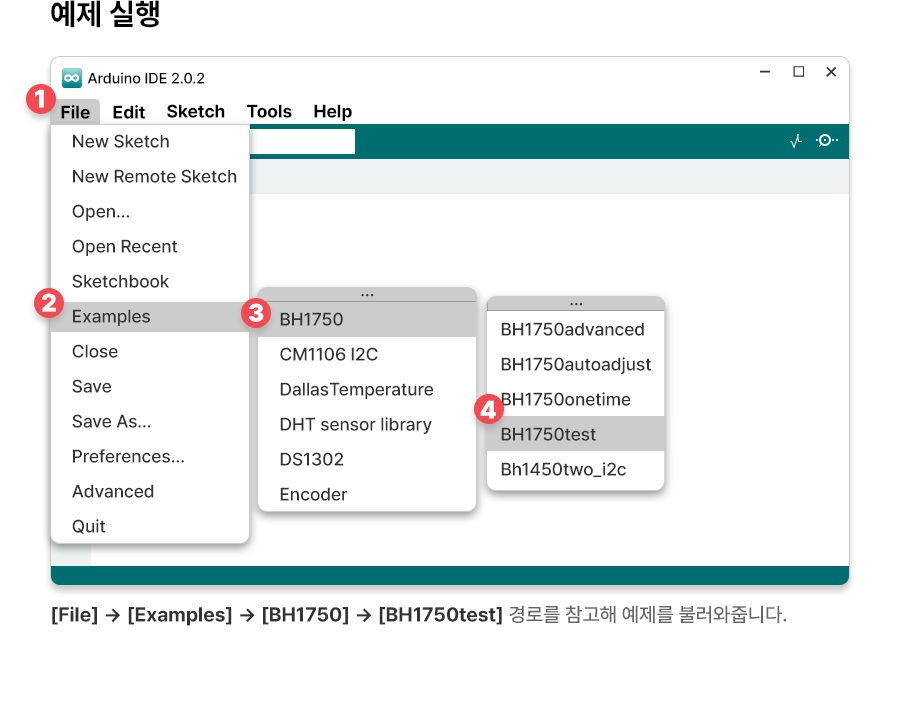
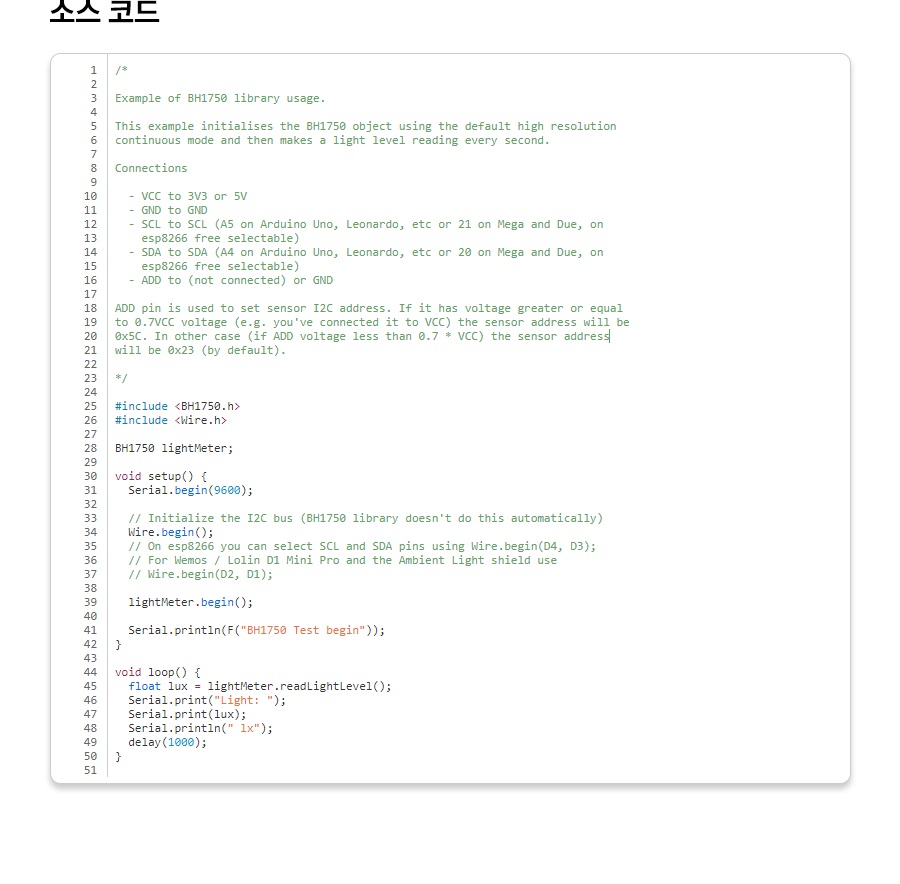
|
1
2
3
4
5
6
7
8
9
10
11
12
13
14
15
16
17
18
19
20
21
22
23
24
25
26
27
28
29
30
31
32
33
34
35
36
37
38
39
40
41
42
43
44
45
46
47
48
49
50
51 |
/*
Example of BH1750 library usage.
This example initialises the BH1750 object using the default high resolution
continuous mode and then makes a light level reading every second.
Connections
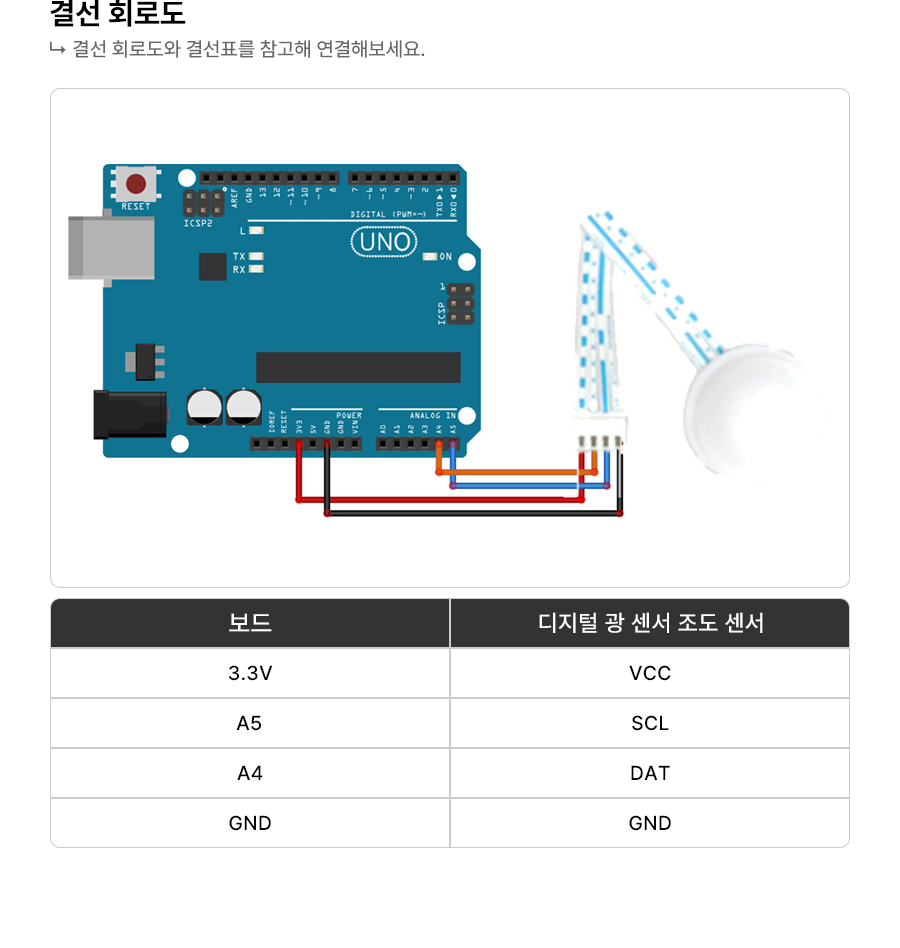
- VCC to 3V3 or 5V
- GND to GND
- SCL to SCL (A5 on Arduino Uno, Leonardo, etc or 21 on Mega and Due, on
esp8266 free selectable)
- SDA to SDA (A4 on Arduino Uno, Leonardo, etc or 20 on Mega and Due, on
esp8266 free selectable)
- ADD to (not connected) or GND
ADD pin is used to set sensor I2C address. If it has voltage greater or equal
to 0.7VCC voltage (e.g. you've connected it to VCC) the sensor address will be
0x5C. In other case (if ADD voltage less than 0.7 * VCC) the sensor address
will be 0x23 (by default).
*/
#include <BH1750.h>
#include <Wire.h>
BH1750 lightMeter;
void setup() {
Serial.begin(9600);
// Initialize the I2C bus (BH1750 library doesn't do this automatically)
Wire.begin();
// On esp8266 you can select SCL and SDA pins using Wire.begin(D4, D3);
// For Wemos / Lolin D1 Mini Pro and the Ambient Light shield use
// Wire.begin(D2, D1);
lightMeter.begin();
Serial.println(F("BH1750 Test begin"));
}
void loop() {
float lux = lightMeter.readLightLevel();
Serial.print("Light: ");
Serial.print(lux);
Serial.println(" lx");
delay(1000);
}
|
cs |
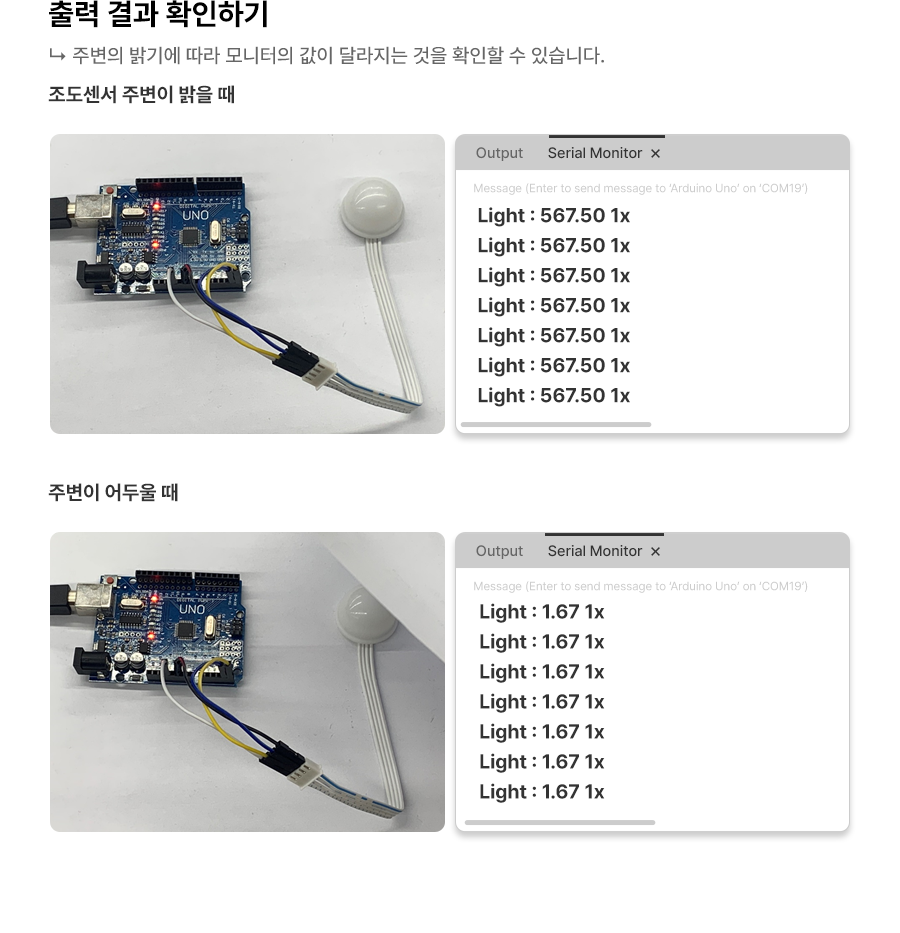
등록된 사용후기
사용후기가 없습니다.
등록된 상품문의
상품문의가 없습니다.